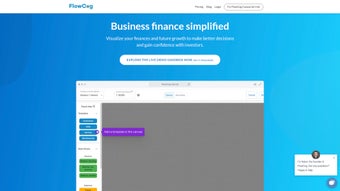

Download FlowCog – Secure SaaS Financial Modeling Tool with Monte Carlo Forecasts
Overview – Why FlowCog Is Gaining Traction in the SaaS Community
In the fast‑moving world of subscription‑based businesses, reliable financial projections are no longer a nice‑to‑have—they are a strategic imperative. FlowCog was built from the ground up to address that need, offering a cloud‑native platform that turns raw subscription data into actionable forecasts within minutes. Unlike generic spreadsheet solutions, FlowCog embeds SaaS‑specific logic such as churn, customer‑acquisition cost (CAC), and lifetime value (LTV) directly into its calculation engine.
The moment a founder signs in, the onboarding wizard prompts for key drivers—average contract value, growth rate, churn assumptions—and instantly generates a full suite of statements: income, cash‑flow, balance sheet, and a five‑year runway projection. What truly differentiates FlowCog is its Monte Carlo simulation module, which runs thousands of random scenarios based on historical industry distributions, giving users a probability‑weighted view of risk rather than a single deterministic outcome. The platform also integrates natively with popular accounting and payment gateways like QuickBooks, Xero, Stripe, and Salesforce, pulling transaction data nightly to keep the model current without manual entry.
Security is baked in: all data is encrypted at rest and in transit, stored in ISO‑27001‑certified data centers, and protected by mandatory multi‑factor authentication. Because the service lives in the cloud, users receive automatic updates, new feature roll‑outs, and compliance patches without ever downloading a new version. Whether you are preparing a seed‑stage pitch deck, negotiating a Series B term sheet, or simply need a reliable runway calculator for board meetings, FlowCog delivers a blend of speed, accuracy, and visual clarity that lets you focus on strategy rather than endless spreadsheet gymnastics.
Key Features and Predictive Analytics That Drive Decision‑Making
- Library of SaaS‑specific templates for ARR, MRR, churn, and LTV calculations.
- Monte Carlo simulation engine that visualizes revenue variance across thousands of scenarios.
- AI‑enhanced forecasting that learns from industry benchmarks and your own historical data.
- Real‑time integration with QuickBooks, Xero, Stripe, PayPal, and major CRMs.
- Customizable dashboards with drag‑and‑drop widgets, heat‑maps, and scenario sliders.
- Collaborative workspace with role‑based permissions for finance teams, investors, and board members.
- Secure cloud storage, version control, and immutable audit trails for compliance.
- One‑click export to Excel, PDF, PowerPoint, and Google Slides.
- In‑app knowledge base, video tutorials, and dedicated onboarding specialist.
- Automatic nightly data sync and continuous feature updates.
Each feature in FlowCog is designed to eliminate a pain point that SaaS founders encounter daily. The template library removes the need to design a model from scratch; you simply choose the revenue recognition cadence (monthly, quarterly, or annual) and the system populates the appropriate line items. The Monte Carlo engine, a rarity in SaaS tools, produces a probability distribution curve that shows, for example, a 70 % chance of maintaining a 12‑month runway under current assumptions, and a 20 % chance of dropping below six months if churn spikes.
This level of statistical insight is invaluable when presenting to investors, as it translates risk into a visual format they can quickly grasp. AI‑driven recommendations appear on the “Insights” tab, suggesting optimal pricing tiers or churn‑reduction tactics based on peer‑group performance. Integration with accounting platforms means the model reflects the latest ARR and deferred revenue numbers without manual copy‑pasting, while the collaborative workspace allows CFOs to grant view‑only links to investors, who can experiment with scenario sliders in real time.
All visualizations are responsive, adapting to desktop monitors, tablets, or smartphones, ensuring that board presentations look polished no matter the device. Finally, the export functions let you embed live charts directly into pitch decks, reducing the time spent recreating graphics in PowerPoint.
Installation, Compatibility, and Daily Usage Guide
FlowCog eliminates the traditional installation hassle because it lives entirely in the browser. To get started, navigate to the official website, click the “Start Free Trial” button, and register using a corporate email address. The platform enforces mandatory multi‑factor authentication (MFA) during sign‑up, adding an extra security layer for sensitive financial data. Once logged in, an interactive onboarding wizard walks you through connecting your existing tools—QuickBooks, Stripe, Xero, or any other supported service—by entering API keys or OAuth credentials. After successful integration, FlowCog automatically imports historical revenue, expense, and subscription records, mapping them to the appropriate fields in the financial model.
Compatibility: Windows 10/11, macOS 12+, Linux (any modern browser), iOS 14+, Android 9+.
Because the application is browser‑based, it supports all major browsers—Chrome, Firefox, Safari, and Edge—on both desktop and mobile devices. While the core modeling suite performs best on larger screens, the responsive design ensures that key dashboards and KPI summaries remain readable on smartphones and tablets. Daily usage typically follows a three‑step routine: (1) update any new drivers such as a revised CAC or a newly launched pricing tier, (2) review the updated forecasts on the “Dashboard” tab, and (3) share the latest scenario with stakeholders via a secure link or export. The platform automatically saves each change, creating a complete audit trail that can be filtered by user, date, or change type—useful for compliance reviews or investor due diligence. If you need to work offline, you can export the current model to Excel, make temporary edits, and re‑import the file later; however, the full feature set—including real‑time Monte Carlo updates—requires an active internet connection.
Pros and Cons – Balanced Look at Strengths and Weaknesses
Pros
- Industry‑specific templates eliminate hours of manual spreadsheet construction.
- Monte Carlo simulation provides statistically robust risk assessments.
- Deep integrations keep financial data current without manual entry.
- Intuitive visual dashboards translate complex numbers into clear insights.
- Cloud‑first architecture delivers automatic updates and strong security controls.
- AI‑driven recommendations help optimize pricing and churn strategies.
- Collaborative workspace supports real‑time scenario sharing with investors.
Cons
- Advanced Monte Carlo features are limited to the Premium pricing tier.
- Requires a stable internet connection; no full offline mode.
- New users may need time to become comfortable with SaaS‑specific metrics.
- Highly customized reports may require API knowledge or developer support.
- Pricing can be a barrier for bootstrapped startups with very tight budgets.
Frequently Asked Questions
Is FlowCog suitable for non‑SaaS businesses?
While the core engine can handle any recurring‑revenue model, many of the built‑in metrics (churn, LTV, CAC) are SaaS‑centric. Non‑SaaS companies can still benefit from the forecasting and Monte Carlo capabilities, but they may need to customize templates or ignore certain KPI sections.
Can I import data from Excel or CSV files?
Yes. FlowCog includes an import wizard that maps Excel or CSV columns to the required financial fields, allowing you to migrate legacy models or bulk‑upload historical data.
How secure is my financial data on FlowCog?
Data is encrypted both at rest and in transit, stored in ISO‑27001‑certified data centers, and protected by role‑based access controls plus mandatory MFA. Regular third‑party security audits ensure compliance with GDPR and other regional regulations.
What support options are available for new users?
All plans include 24/7 email support, a searchable knowledge base, and live chat during business hours. Premium subscribers receive a dedicated onboarding specialist, priority phone support, and quarterly strategy reviews.
Is there a free trial or a freemium tier?
FlowCog offers a 14‑day free trial with full access to every feature, including Monte Carlo simulations. After the trial, you can choose the Standard plan at $79 USD/month or the Premium plan at $149 USD/month, depending on the level of advanced analytics you need.
Conclusion – Take the Next Step with FlowCog
For SaaS founders, CFOs, and growth teams that need fast, reliable, and visually compelling financial projections, FlowCog delivers a powerful combination of industry‑specific templates, Monte Carlo risk modeling, and seamless integrations with the tools you already use. Its cloud‑first design guarantees you’re always on the latest version, while robust security measures keep your sensitive data safe. Although the price point may feel steep for very early‑stage startups, the time saved on manual spreadsheet work and the confidence gained from statistically backed forecasts often more than justify the investment. If you’re ready to replace static Excel models with a dynamic, insight‑driven platform, download FlowCog today and start turning raw subscription data into strategic growth stories.



.png)



